
Microsoft PowerPoint with Copilot

At a Glance
Microsoft PowerPoint with Copilot

Pricing Model:
Paid / Subscription Required

Platforms
Web; Desktop

Export Options
PPTX; PDF

Best For
Research presentations

Use Cases
Research Presentations, Conference Talks, Project Updates

Microsoft PowerPoint with Copilot
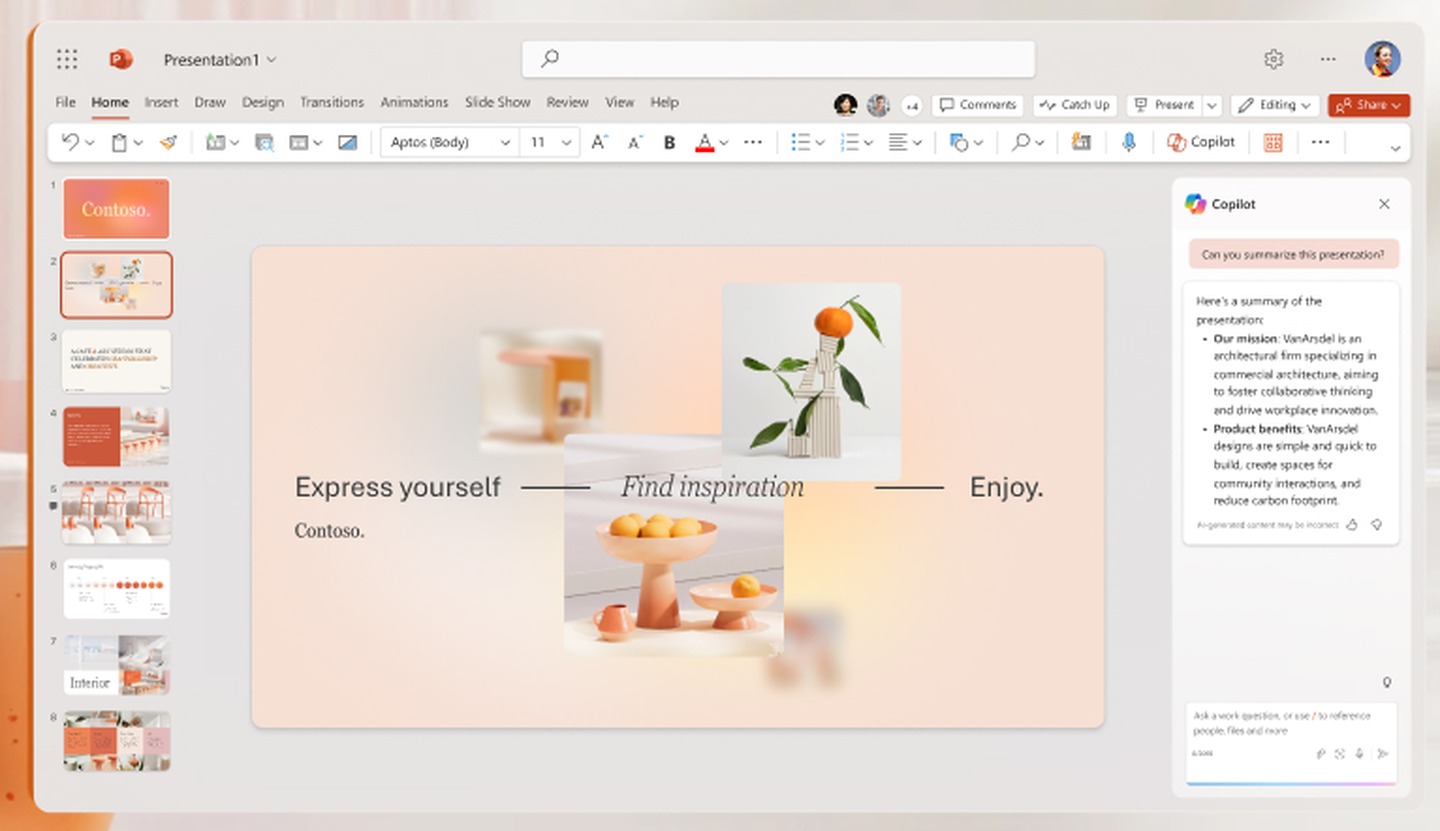
AI presentation features in Microsoft PowerPoint that help turn a research topic or existing document into a slide deck, draft slide content, suggest layouts and visuals, and refine presentations.
Developer:
Microsoft
Tool Interface Preview
Our Take
An independent, practical assessment for students and researchers.
Practical Value
PowerPoint with Copilot is useful when you already have a report, paper, or research summary and need to turn it into a clear presentation. It can draft slides from a referenced file, help reorganize content, and suggest edits to improve the flow—saving time on the first version of a research talk, briefing, or poster-style presentation.
Limitations
It works best as a starting point, not as an automatic scientific editor. Generated slides may oversimplify caveats, misstate figures, or omit important methodological details; access to features can also depend on your Microsoft 365 license and organization settings.
Recommended Use
Check every number, quotation, citation, chart, and visual against the source material. Make sure the final slide deck accurately represents the evidence and follows any disclosure or confidentiality rules that apply to your research.

Key Features
• Prompt-assisted slide drafting
• Presentation outline generation
• Slide text rewriting
• Speaker-note and layout assistance

Research Tasks
Turn research findings into a talk outline; create a first draft of conference slides; summarize a report for a lab meeting; verify every chart, citation, and claim before presenting.

Integration Support:
Microsoft 365 Suite. Additional options include Microsoft Graph & Enterprise Data, Bing, and third-party service plugins and extensions.

Pricing Structure
Requires an eligible Microsoft 365 or Copilot plan; availability and included features depend on subscription.